



We’re sharing important platform updates that will save you hours of work.
Managing competencies and development plans is now easier
Two-level competency library
You can now group competencies: give the group a shared name and combine related skills into a single group. In questionnaires, reports, and other tools, you can select the entire group at once or choose only the competencies you need.
Development action library
You no longer have to manually enter the same steps each time in individual development plans. You can save any actions to the library, link them to the relevant competencies, and then quickly add them to employees’ development plans.
You can also save actions from existing development plans — so you do not have to spend time transferring them manually.
Example of creating an IDP goal using the development action library
Multiple supervisors in individual development plans
An IDP can now have multiple supervisors, such as the employee’s manager, the team’s HR partner, and a buddy. There is no limit to the number of supervisors. They can all view and edit the plan and will receive notifications about changes.
What's new in evaluation: AI assistant and updates to evaluation results charts
AI assistant for summarizing evaluation results
Appraise can now automatically generate an evaluation summary using the built-in AI assistant. Simply click one button, and the intelligent assistant will:
- highlight discrepancies between the employee’s self-evaluation and evaluations by their manager, peers, and direct reports;
- identify key behavior patterns;
- show the employee’s strengths and development areas;
- surface the most representative quotes from comments;
- generate detailed recommendations for the manager.
The employee will not see the summary, and it will not be added to reports.
New charts and reports
In reports — the competency matrix and radar chart — you can now switch between individual competencies and groups. Downloadable reports now include new pages that display these charts as well.
Reports are now more visual: they show not only individual scores but also the big picture across areas. This is useful for presentations and discussions with management.
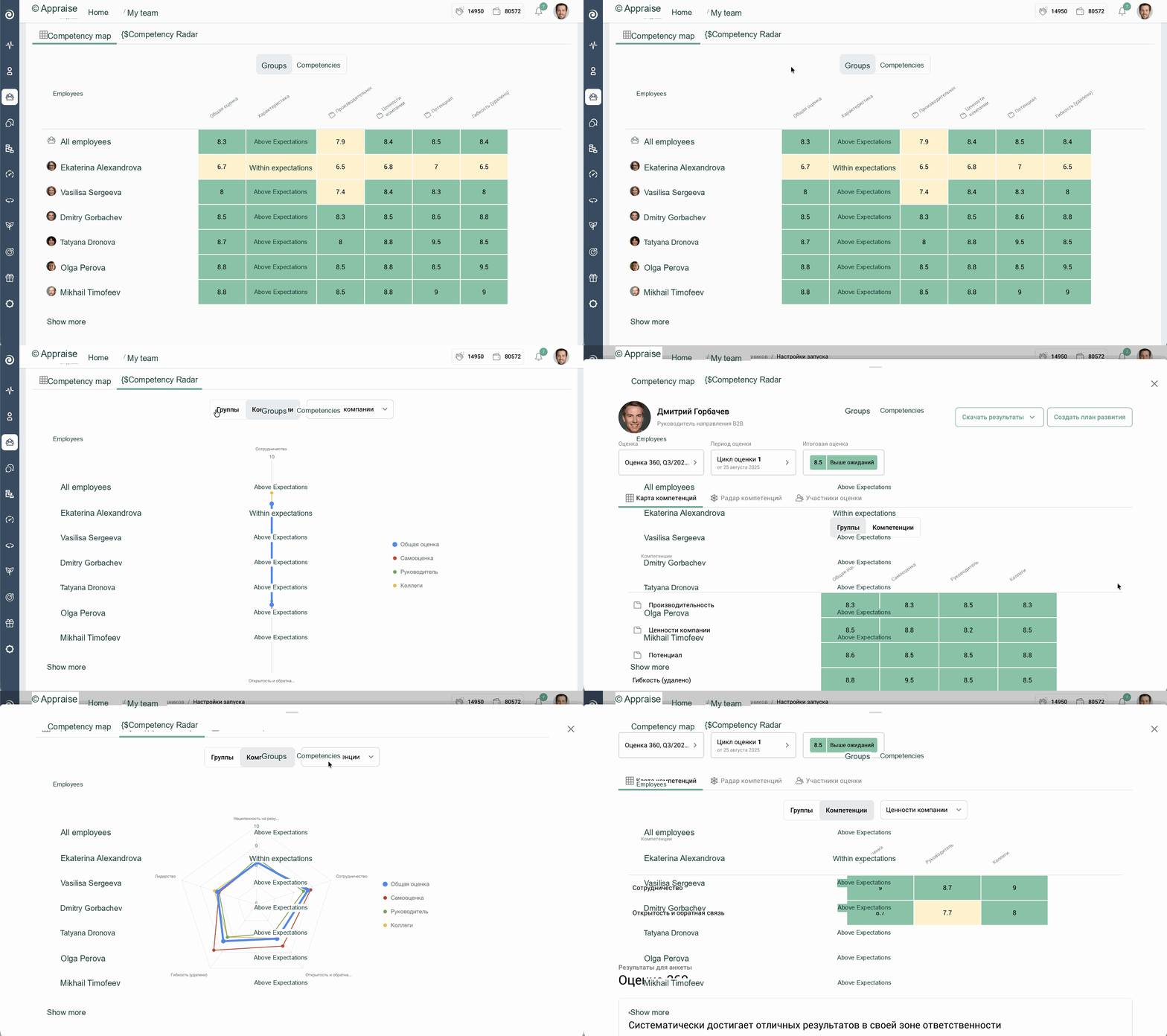
If competencies are combined into a group, you can see the group's overall score and the score for each competency within it
Evolution of questionnaire design
Scale library
You can now use ready-made scales (such as the Likert scale) or create your own. There are no limits.
New scale type — Text
You can add labels to each point and even hide the numbering of response options if you prefer, leaving only the text labels. This makes the evaluation process clearer and its results more accurate.
Indicator questions
We have added a special question type called “Competency evaluation.” These questions must be configured in advance in the competency library: select a scale and define the evaluation wording. You can then add these questions to questionnaires manually or click a button to add the appropriate questions automatically.
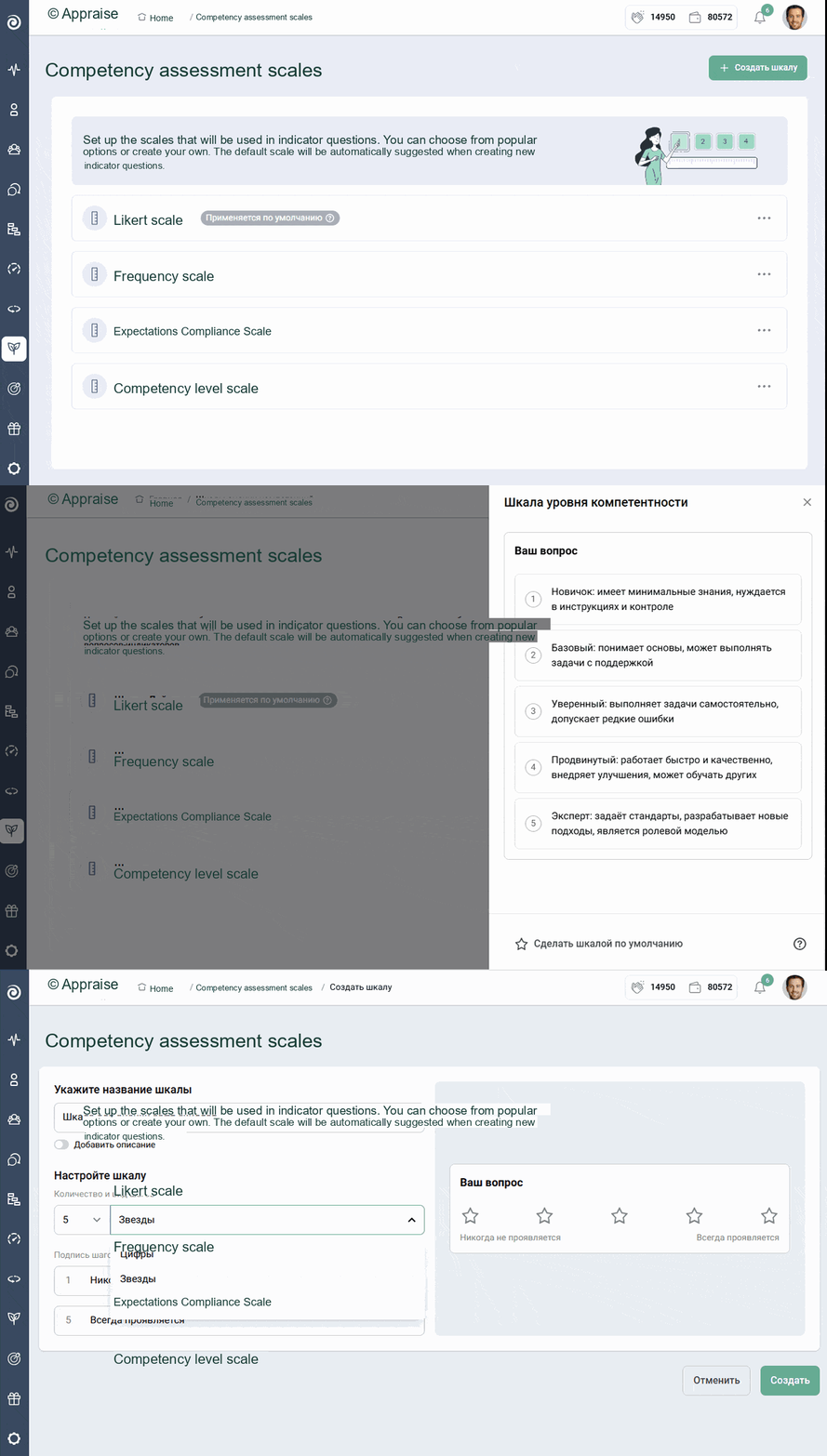
New scales for creating surveys and questionnaires
And this is far from the full list of updates! To make sure you do not miss anything important, subscribe to our
Experience all the benefits of Appraise