The biggest Appraise update is the new Employee DevelopmentPlans module.
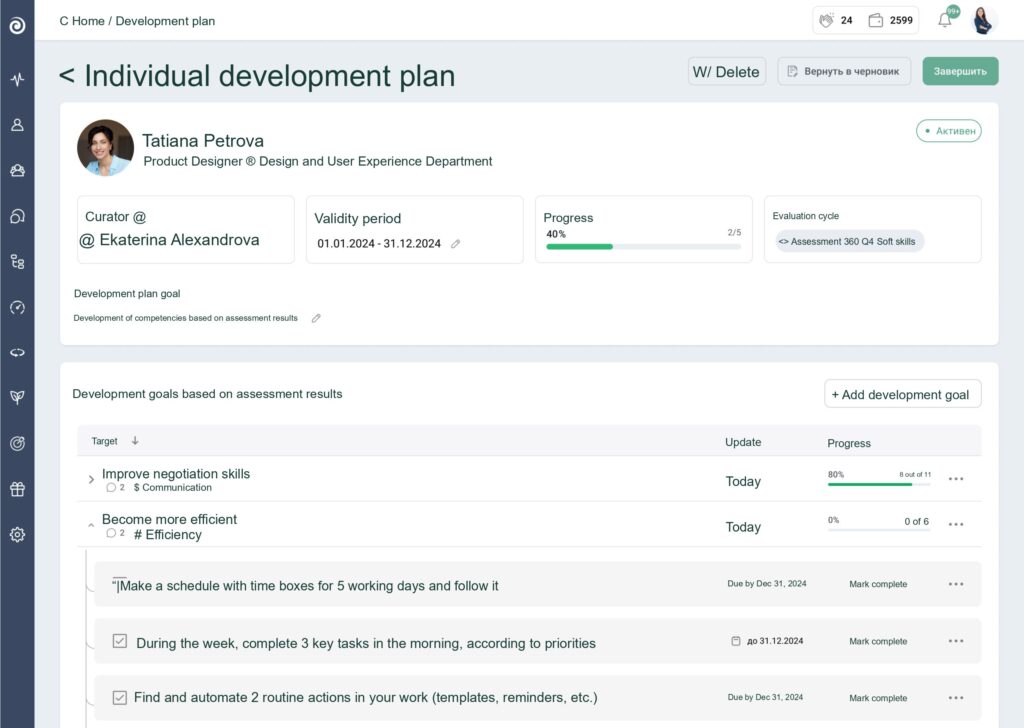
A development plan records the key goals, skills, and steps an employee needs for professional and personal growth within the company. It specifies the competencies to develop, concrete steps toward the goal, deadlines, progress metrics, and the people responsible for completing the plan.
An individual development plan (IDP) is typically created:
after a 360-degree assessment or Performance Review;
to support effective onboarding;
when moving to a new position or grade;
following regular 1:1 meetings;
to prepare for the talent pool;
to close skill gaps.
The new Appraise module lets you create a development plan directly from the employee profile.
Individual development plan in Appraise
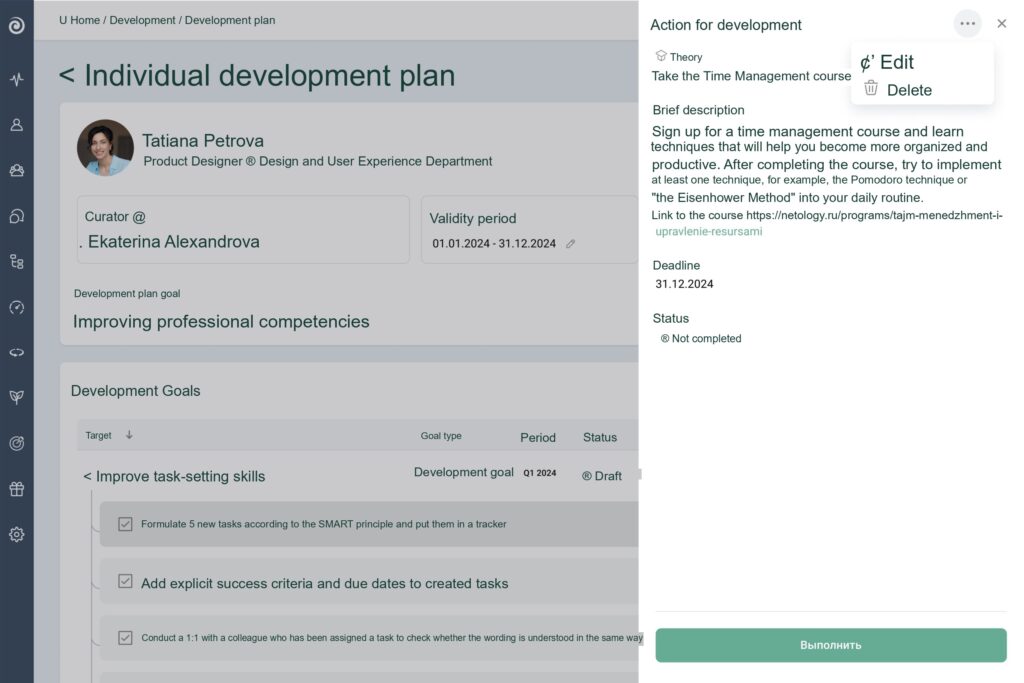
Adding development activities based on the 70-20-10 model
Within a plan, you can create goals and development activities based on the 70-20-10 model: 70% practice, 20% knowledge sharing and feedback, and 10% theory. The result is a set of practical, achievable goals.
Use a ready-made development activity plan or add your own
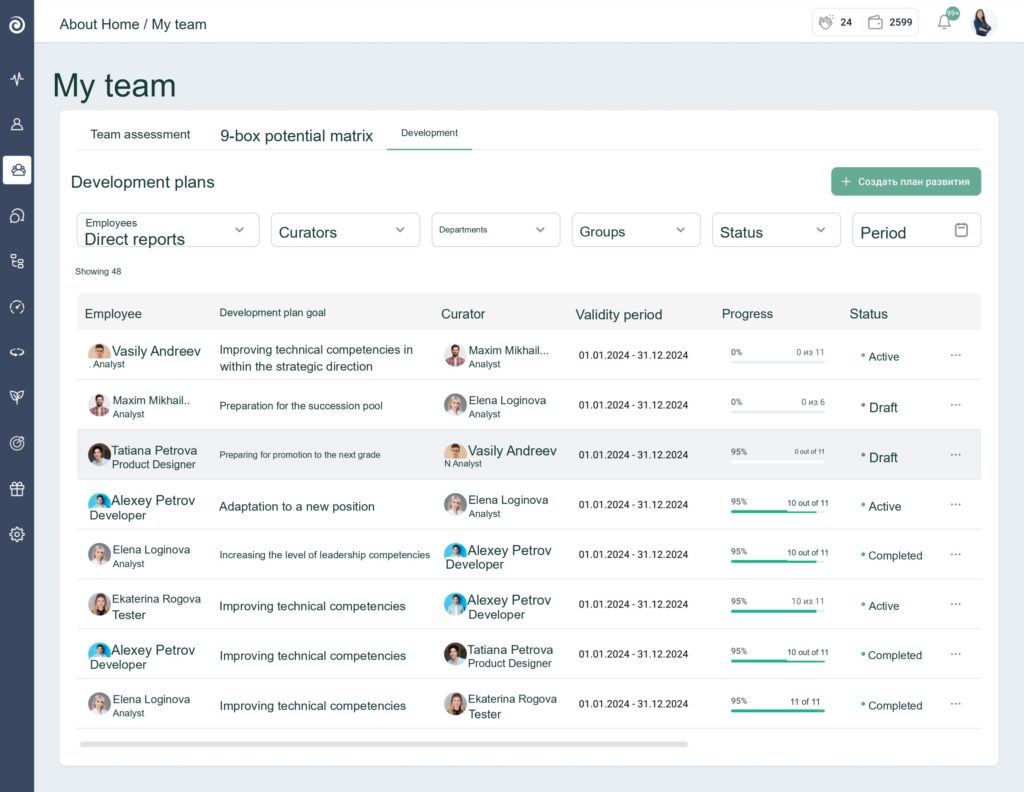
Appraise helps track plan completion at every level: across the company, by team, and for individual employees. You can see how many plans are in progress, what results have been achieved, and where attention is needed.
Managers can see all plan progress at a glance
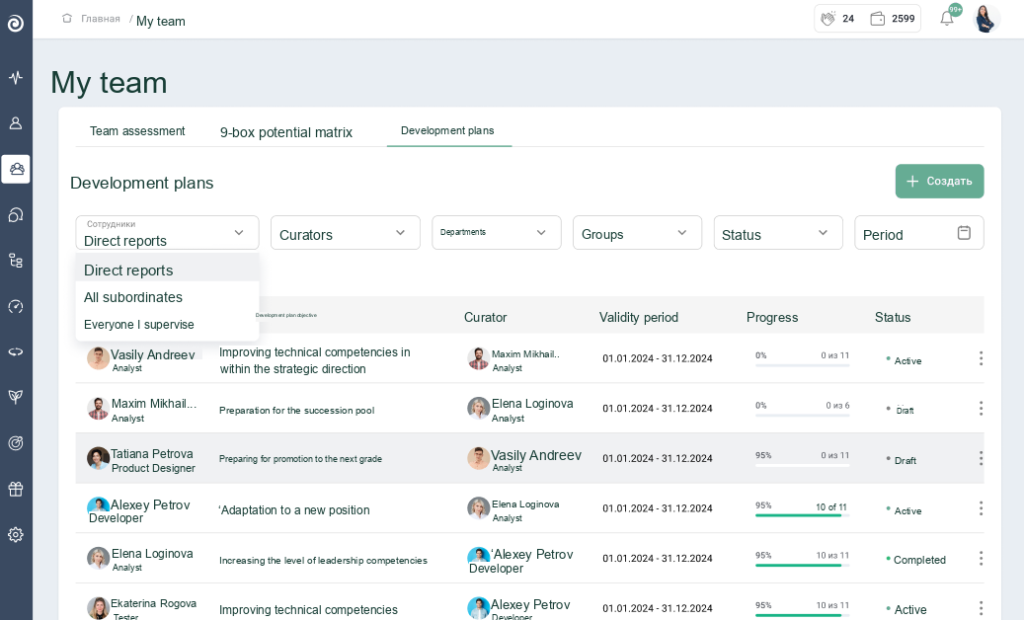
Supervisors can also monitor employee development plans on the My Team dashboard.
Supervisors can also track plan progress
Reminders
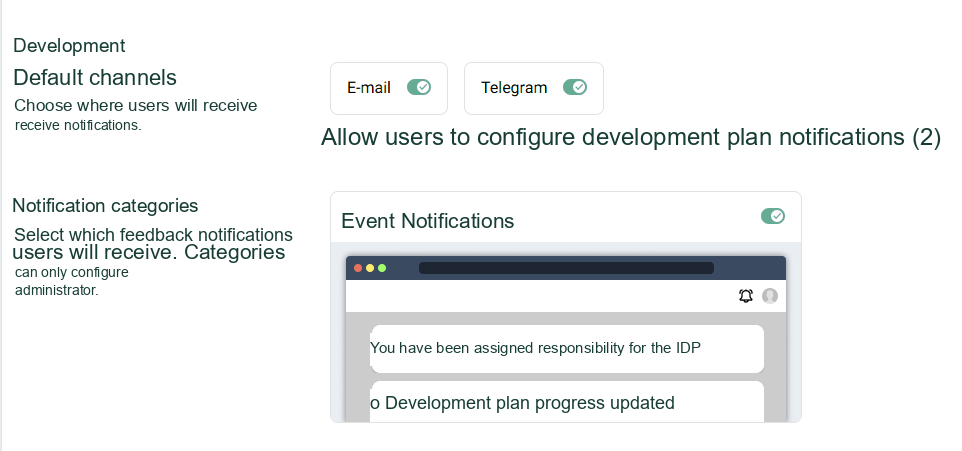
If an employee is not progressing through the plan, the platform will remind them about their tasks; simply enable the option in settings.
Appraise sends timely plan reminders
Everything is ready for a quick start
Launch development plans in just a few clicks
Assessment updates: result calibration, dashboard statistics, and questionnaire skipping
Let us look at what has changed in platform assessments.
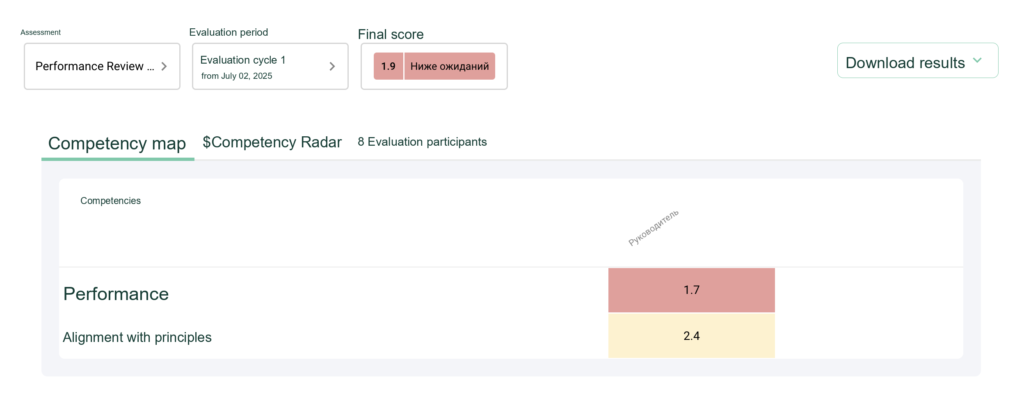
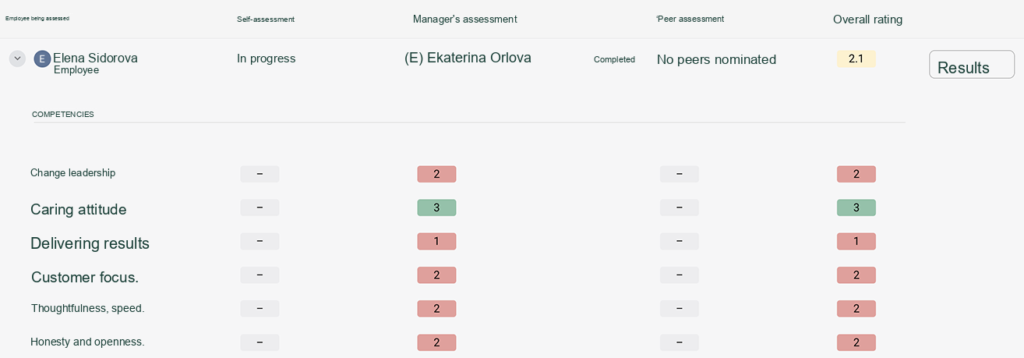
Final score settings and result calibration
Working with the final score in Appraise is now even more convenient: it can be configured in text format across all competencies.
You can also configure:
which competencies contribute to the final score;
the weight of each competency;
the color legend.
Updates to final score settings
The final score appears in the employee report and all exports.
The final score appears in the report
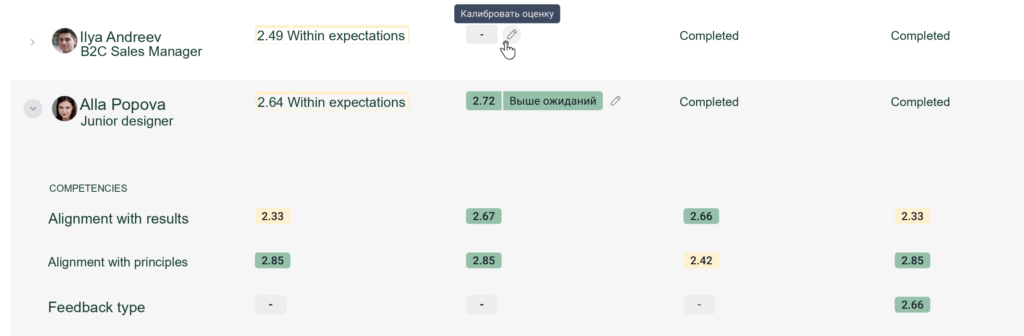
Another welcome update is that manager scores can now be calibrated in Appraise. This can be done by the manager or an administrator. When the feature is enabled, the adjusted scores will appear in reports.
Score calibration in Appraise
Assessment statistics on the manager dashboard
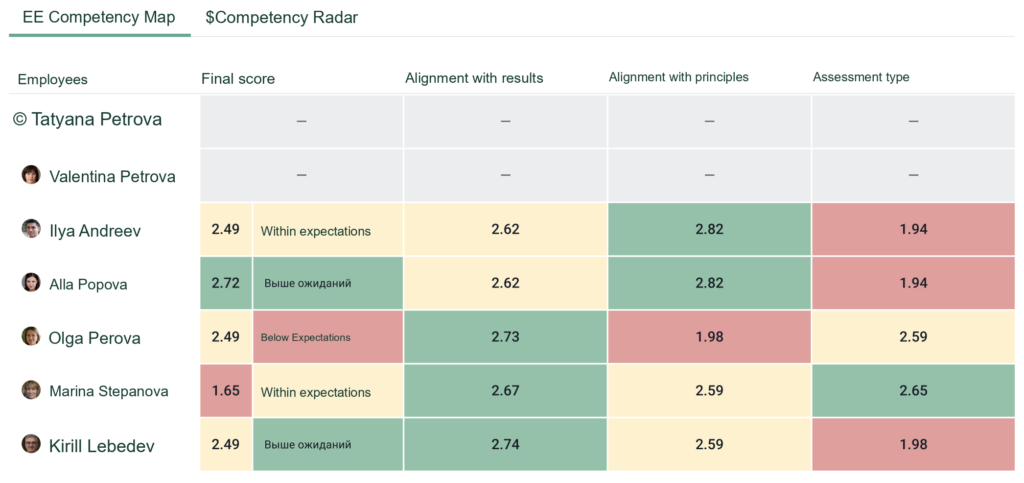
Employee assessment progress and interim results now appear directly on the My Team dashboard. There is no need to open the full report; all key information is immediately available.
Clear employee assessment statistics on the manager dashboard
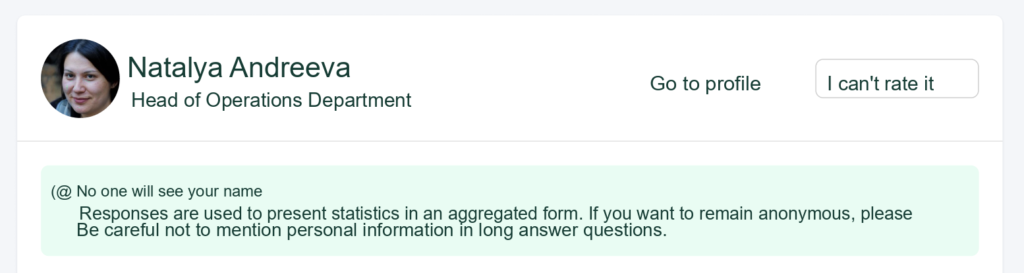
Option to skip the questionnaire
Employees are sometimes asked to provide feedback about a colleague with whom they have had little or no recent interaction. In such cases, their feedback may not be informative. To prevent inaccurate assessment results, Appraise lets them select “Unable to assess” and skip the questionnaire.
Appraise lets users skip a questionnaire when they cannot assess an employee
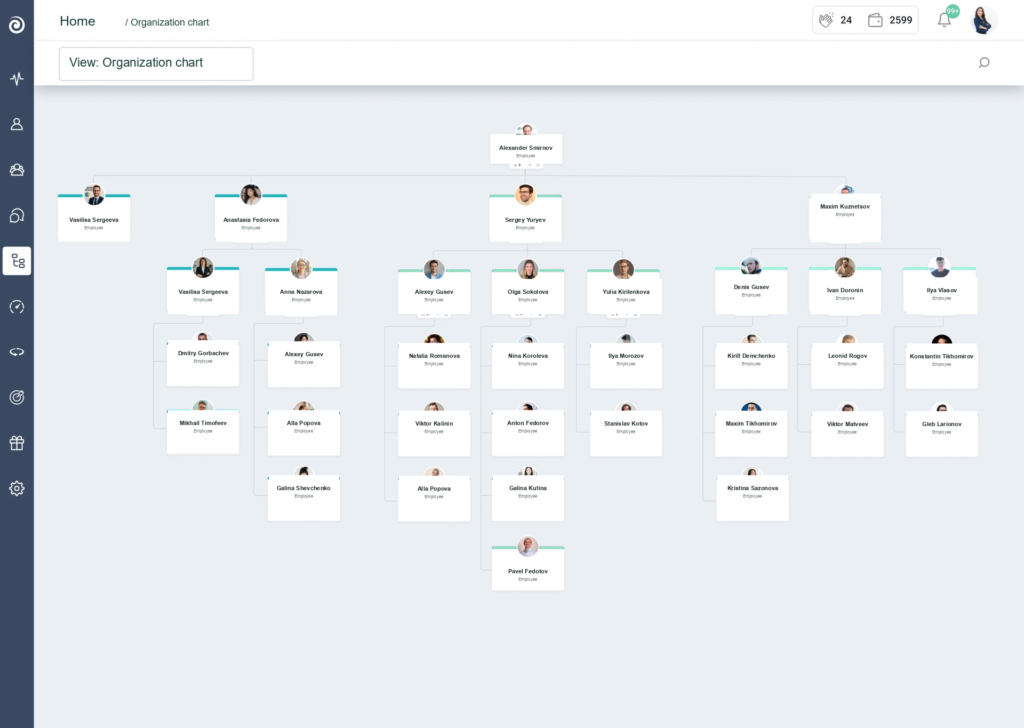
Organizational structure changes
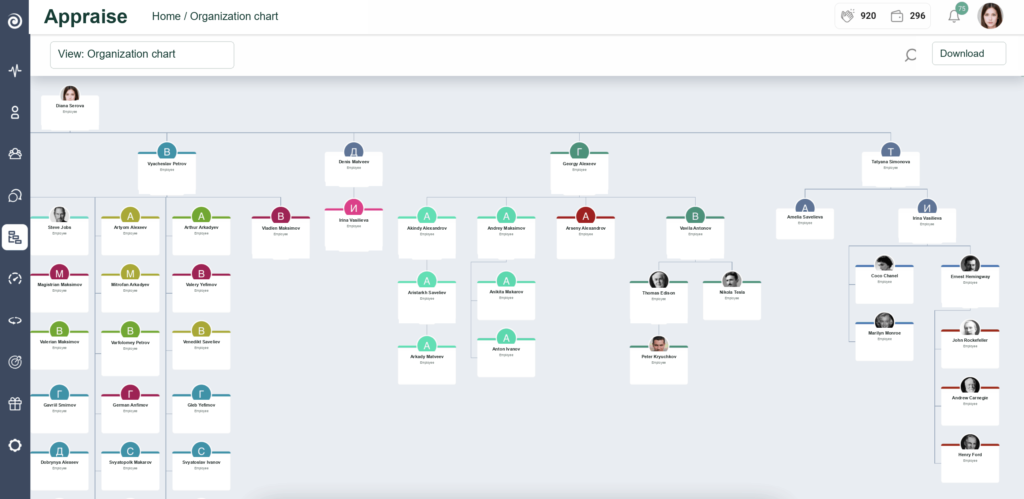
Instead of a departmental structure, Appraise now displays relationships between employees. This speeds up uploading the organizational structure to the platform and configuring synchronization with external services.
Updated organizational structure in Appraise: employee relationships are highlighted first
The organizational structure can now also export an XLS file containing the employee list.
Employees can be exported in Appraise using the “Download” button
There is much more to come. Follow our releases on the blog and social media.
Experience all the benefits of the Appraise updates