




Product owner
March 4, 2026
Employee analytics is now more convenient, the assessment process is simpler, and surveys now support automated workflows.
Contents
New Rating Distribution tab in the manager dashboard
The new tab displays employees’ latest results collected from different assessments over the selected period.
The table lets managers filter specific employees and groups, such as office-based employees only. If calibration is enabled for an assessment, the manager can calibrate the selected group.
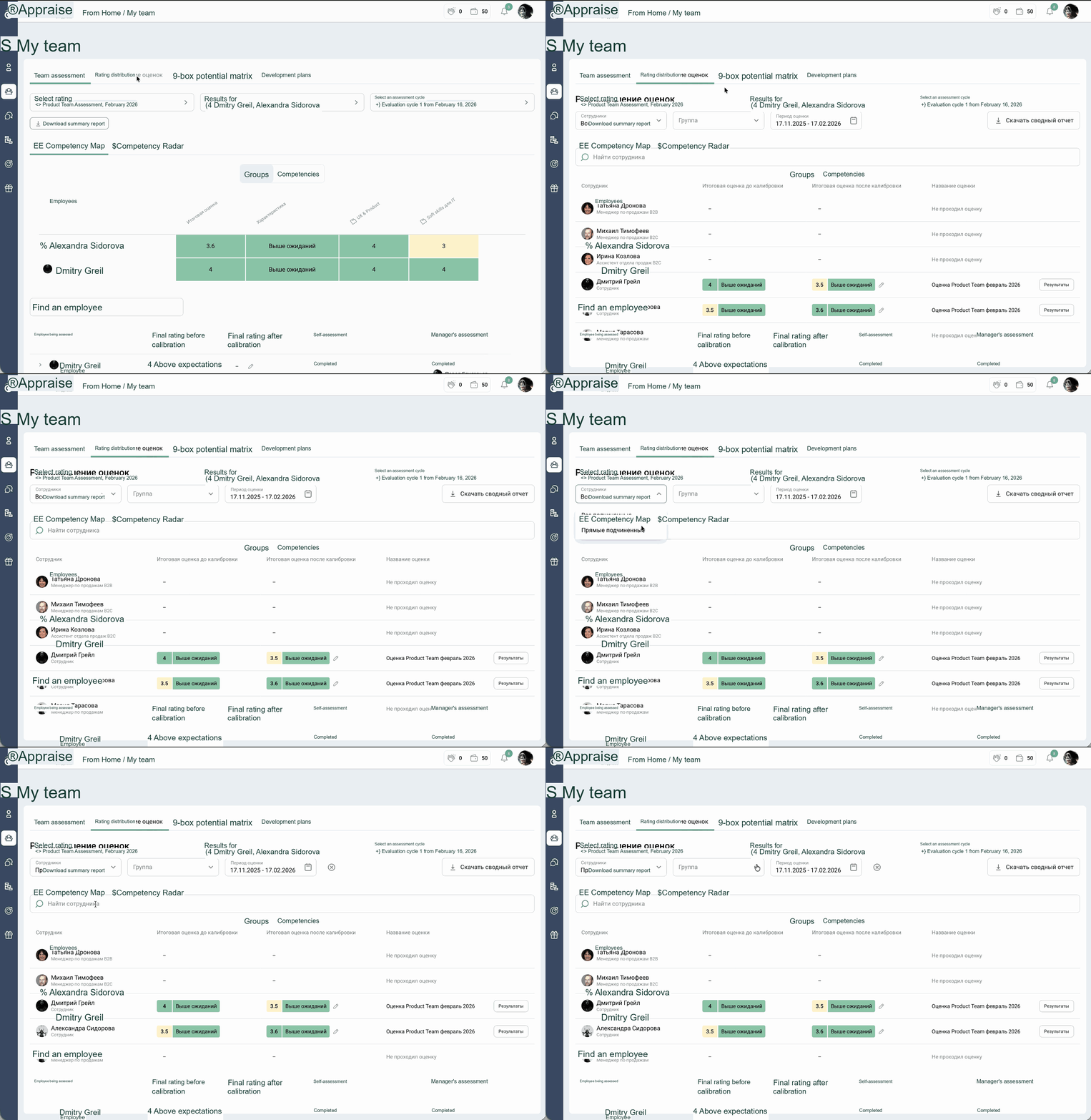
Team member rating distribution in Appraise
Access to employee self-assessments
Previously, colleagues often assessed an employee without context because they could not see the employee’s self-assessment and achievements. As a result, feedback was too general and provided little value during the review process. Appraise now lets you make an employee’s self-assessment visible.
When is this especially useful? Showing an employee’s self-assessment is valuable when all reviewers need the same context:
- Project work. When an employee has worked on several projects or tasks, reviewers can assess their specific contribution and results rather than relying on a general impression of working with them.
- Cross-functional collaboration. Colleagues may see only part of the employee’s work and may not know about every task they completed.
- End-of-period reviews. When an assessment informs final decisions rather than serving only as general feedback.
Sharing assessment results with an employee
After a Performance Review, it is not always possible or appropriate to show an employee their complete results report. However, it is still important to communicate the final rating and a concise summary.
We have therefore added a new feature: employees can now receive access to only the final rating and a brief summary rather than the full report.
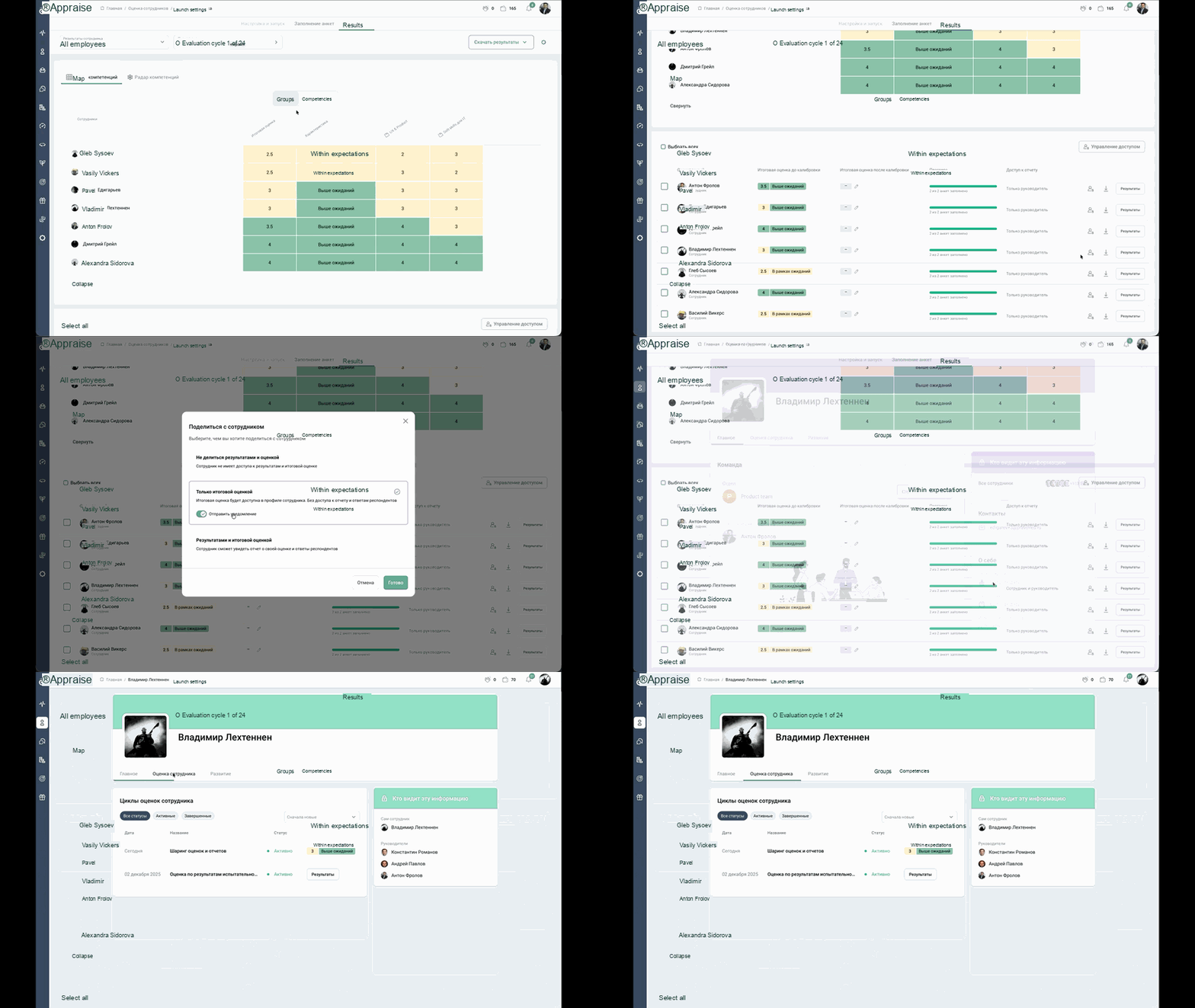
How to share only the final rating with an employee
Configuring survey workflows
Appraise now has a new Workflows section. It lets you configure workflows for onboarding and adaptation, post-event surveys, and other use cases. Set the time intervals and select the questionnaires once, and every survey will launch automatically at the appropriate time.
How the update benefits HR
Previously, surveys had to be launched manually: tracking dates, checking what had already been sent and to whom, and ensuring nothing was missed. As the team grows, this quickly becomes a constant operational burden.
Workflows help:
- keep employees from being overlooked across long timelines;
- launch surveys precisely on schedule;
- reduce the daily operational workload.
Stay up to date with the latest Appraise platform news and important developments in HR by subscribing to our
Share