



A 360-degree assessment helps identify employees’ strengths and development areas. With feedback from every perspective, including managers, colleagues, and direct reports, the company gains an objective view of an employee’s performance. Let’s examine the important features of the 360-degree employee assessment method and how to use this tool effectively.
Contents
Why Use a 360-Degree Assessment
The 360-degree method provides a comprehensive employee assessment. It clearly shows whether an employee’s skills match their role, what they do well, and where they still need to improve.
It considers more than hard skills. For example, a 360-degree assessment for managers helps determine how well someone fits into the business environment, manages a team, and communicates with other departments.
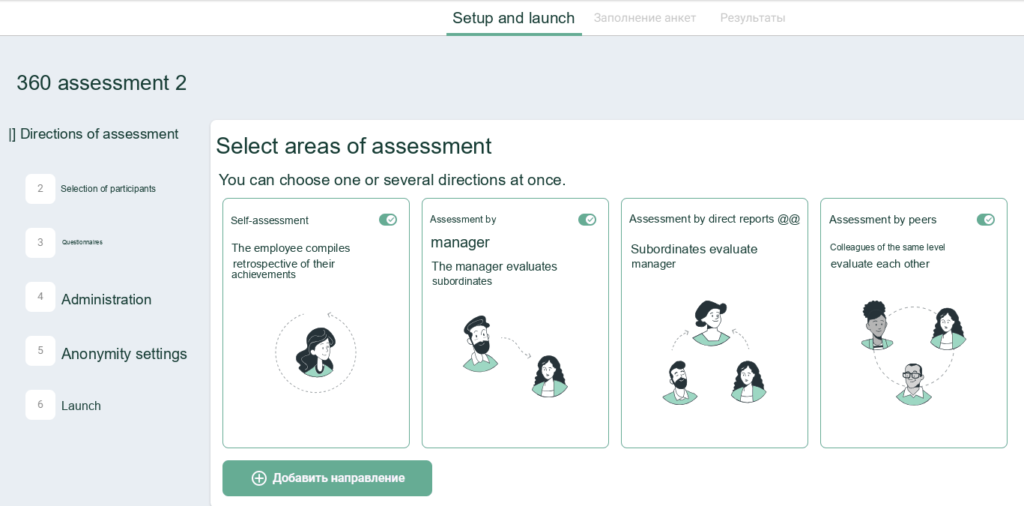
A 360-degree assessment includes feedback from every perspective: the manager, direct reports, colleagues, and the employee's own self-assessment
A 360-degree method can be used to conduct a Performance Review and we explain this procedure in greater detail in another article.
Employee development is an important but not the only reason companies conduct 360-degree assessments. They also offer an excellent opportunity to improve onboarding by identifying the knowledge and competencies needed to hire new employees and promote department heads.
Another purpose of a 360-degree assessment is to improve collaboration within the team and build trust through open feedback.
A well-run assessment is always a development tool. There are no penalties, only recommendations on how to improve existing skills and what else employees should learn, master, and strengthen.
Benefits of 360-Degree Assessments
A comprehensive perspective
The employee receives feedback from several people who interact with them in different roles and on different tasks. Unlike a single person’s perspective, this provides a complete and objective picture.
A basis for self-analysis and additional motivation
The results of 360-degree employee assessment surveys provide an opportunity to analyze one’s own professional and personal qualities. A clear understanding of strengths and weaknesses motivates employees to improve and develop their expertise.
When an employee receives the same feedback from several team members, they are more likely to take it seriously.
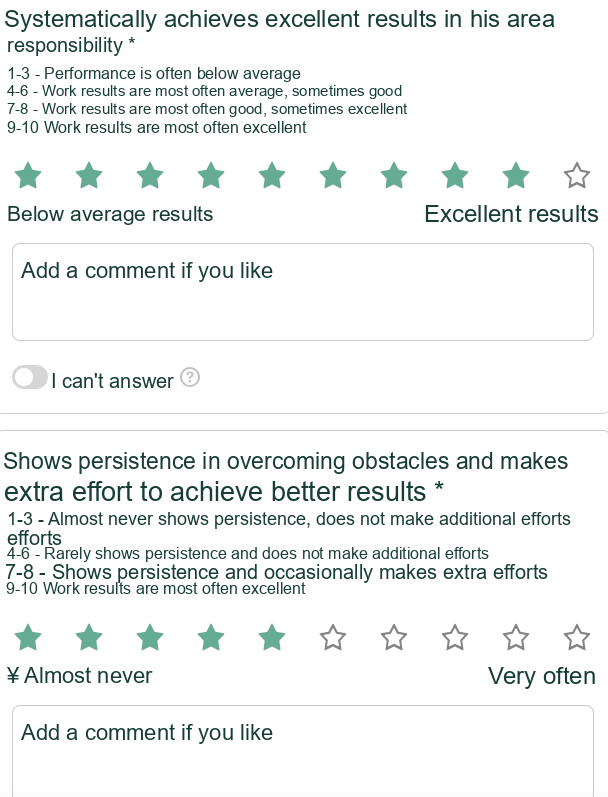
Employee Assessment Questions: Appraise Questionnaire Template
A source of insight
When used correctly, the method provides the company with a wealth of information on how to improve team performance. Managers can create individual development plans more easily and effectively when they clearly understand which skills employees need to improve and what knowledge they lack to fully meet the requirements of their role.
Disadvantages of the Method
Employee distrust
If employees do not trust your assessment system, you risk receiving dishonest feedback. They may provide feedback they think the person being assessed would like while ignoring weaknesses. This makes the feedback collection process useless.
Difficulty engaging participants
If the manager or HR team does not tell employees about the survey’s progress and results, the process becomes meaningless. People will not take surveys seriously, inevitably reducing engagement.
Time and effort required
Most HR professionals agree that a 360-degree assessment is time-consuming. The hardest part is consolidating the data and producing a result that satisfies every stakeholder. Assessment platforms such as Appraise make the task faster and easier.
When Not to Use a 360-Degree Assessment
The method may not be appropriate if the company lacks:
- A culture of feedback and trust. People will be afraid to assess one another honestly. Where serious conflicts already exist, an assessment can deepen distrust and produce unreliable results.
- Clear goals and an understanding of the assessment’s purpose. Surveys conducted only for reporting purposes become meaningless and frustrating.
- Anonymity. If feedback is not anonymized and employees are not prepared to speak openly, their responses will be distorted.
If the company strives for transparency, development, and improved results, however, a 360-degree assessment may be exactly what it needs. The following steps explain how to organize it for maximum benefit to everyone involved.
Free guide
How to Conduct a 360-Degree Assessment
How a 360-Degree Assessment Works: The Stages
1. Define the Goals
Why do you need meaningful feedback from every team member? The assessment may aim to:
- understand how effectively employees work together as a team;
- identify each person’s development areas;
- obtain an objective view of employee performance;
- gather data for talent decisions;
- develop the team.
The list of goals may vary depending on business priorities.
2. Select Key Competencies
To streamline the assessment process, select the key competencies that matter most when gathering feedback from the team.
Every competency should relate to employees’ job responsibilities and support the company’s goals. For example, a sales manager needs strong communication and listening skills and the ability to make decisions quickly. Each competency is assessed through several questions.
3. Prepare a Relevant Questionnaire
Well-chosen and clearly worded questions reveal where an employee excels and where they have room to grow.
A questionnaire usually consists of statements, each with several response options on a scale. We explain how to create a questionnaire that provides an objective picture below.
4. Create a Safe Environment
Anonymity is an important aspect of assessment. A safe environment is essential to achieving the assessment’s purpose.
Employees should not know who answered each question or how they responded. Otherwise, the risk of conflict, resentment, and biased ratings increases.
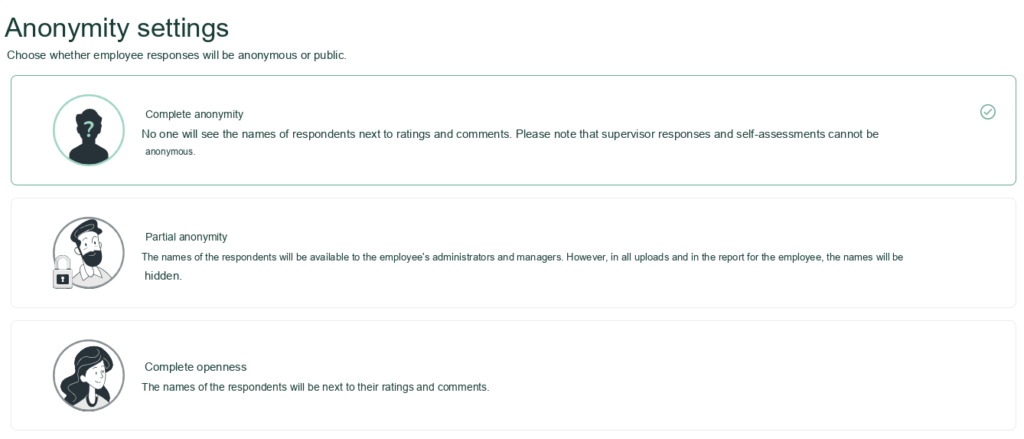
Appraise lets you configure any anonymity settings
5. Pilot the 360-Degree Assessment
If you are conducting an assessment for the first time, we recommend piloting it with department heads before rolling it out across the company.
How to Create a Questionnaire: Expert Advice
Experienced HR professionals know that an assessment’s success largely depends on how the questionnaire is designed and which questions it includes. These are the key rules you can confidently follow when creating one.
1. Consider the Respondent Groups
A comprehensive assessment collects feedback from different groups: managers, colleagues, and direct reports. Questions should reflect how each group interacts with the person being assessed.
2. Limit the Number of Questions
Do not overload participants with questions, as this can reduce response quality. Employees may rush to finish the survey without considering its meaning. The optimal questionnaire has no more than 50 questions.
3. Define the Rating Scale
We recommend a 10-point scale with answers ranging from “Strongly disagree” to “Strongly agree.”
4. Add Open-Ended Questions
These encourage detailed feedback supported by examples. Sample questions include: “Describe a situation where the employee showed initiative” or “What do you think N could improve in their work?”
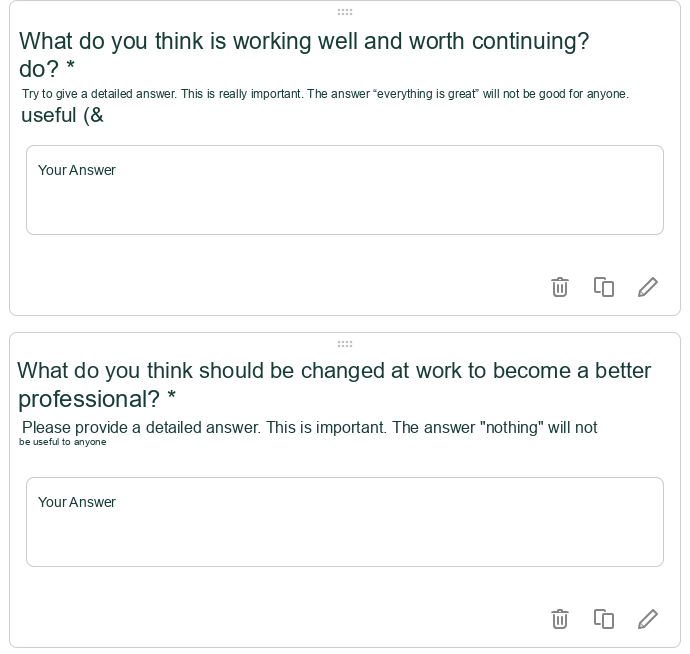
Open-ended questions in an Appraise questionnaire template
5. Include an "I don't know" Option.
This makes it possible to give an honest answer rather than guess, for example when a respondent has had little interaction with the person they are assessing.
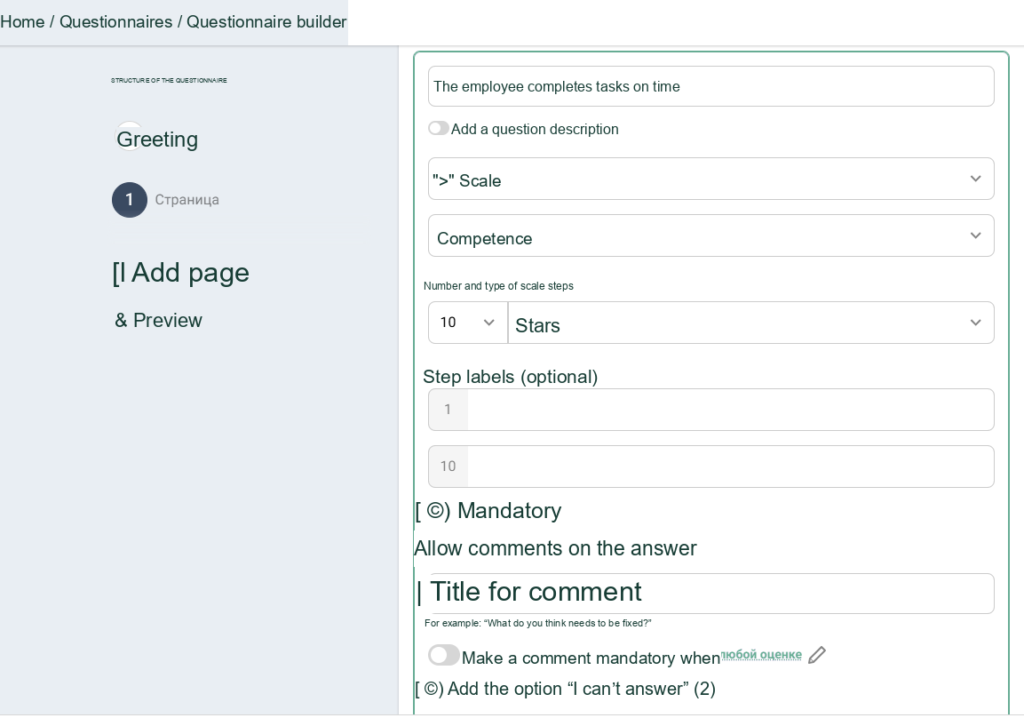
In the Appraise questionnaire builder, you can set a rating scale from 1 to 10 and add an "Unable to answer" option
Find more advice and sample questions in this article.
Is There an Easier Way?
Automation makes the process significantly faster and easier. Appraise gives you everything you need to launch an assessment, track its progress, and analyze the results:
- ready-to-use questionnaire templates and a builder for creating your own questionnaires;
- completion statistics and automated reminders;
- quick respondent selection based on the uploaded organizational structure;
- a manager dashboard with direct reports’ assessment results;
- automated reports with recommendations for the team and each employee.
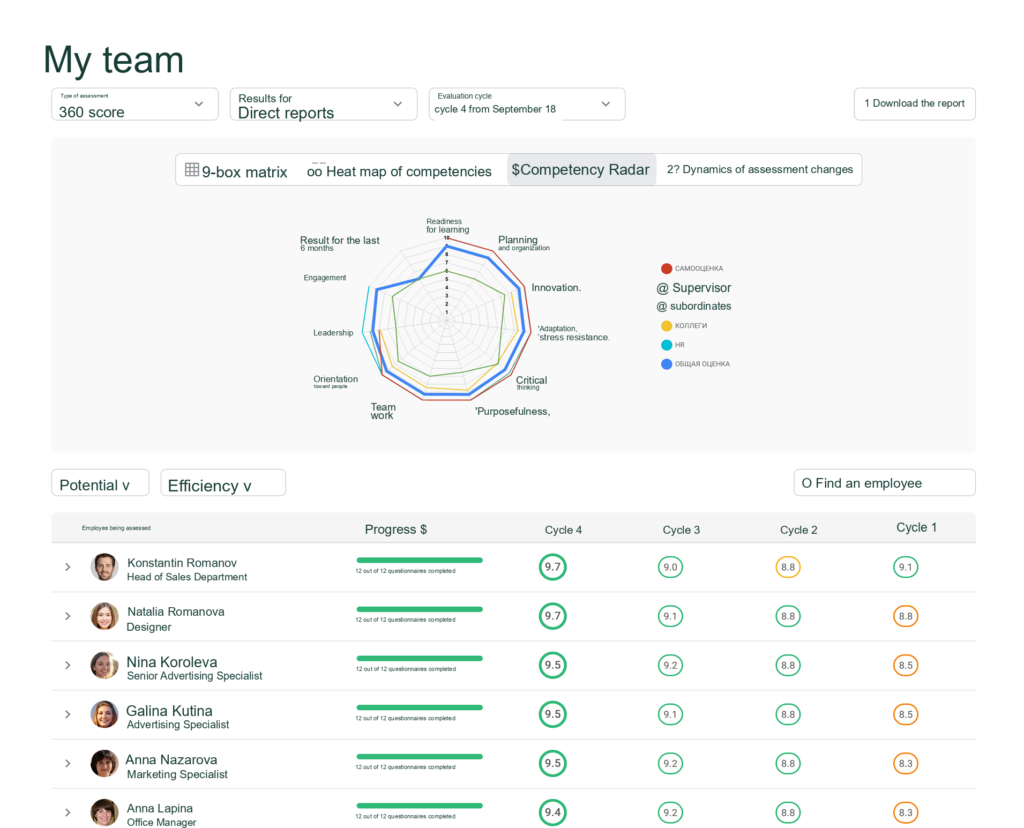
Manager dashboard in Appraise
Launch Employee Assessments Without the Hassle
Automate launches, results processing, and report preparation in three clicks