




The 9-box potential matrix, often referred to in Russia as the “talent pool matrix,” is a relatively new but widely used tool for talent development and management. It is now available in Appraise, making it easy to track employee performance and growth potential in a clear, user-friendly format.
What is the 9-box potential matrix
The 9-box matrix is an employee assessment tool that helps HR professionals and managers quickly identify which team members are ready for career advancement and which need further development.
The matrix is presented as a table with three columns and three rows arranged along two axes:
- performance axis – how well employees perform today;
- potential axis – how well employees could perform in the future.
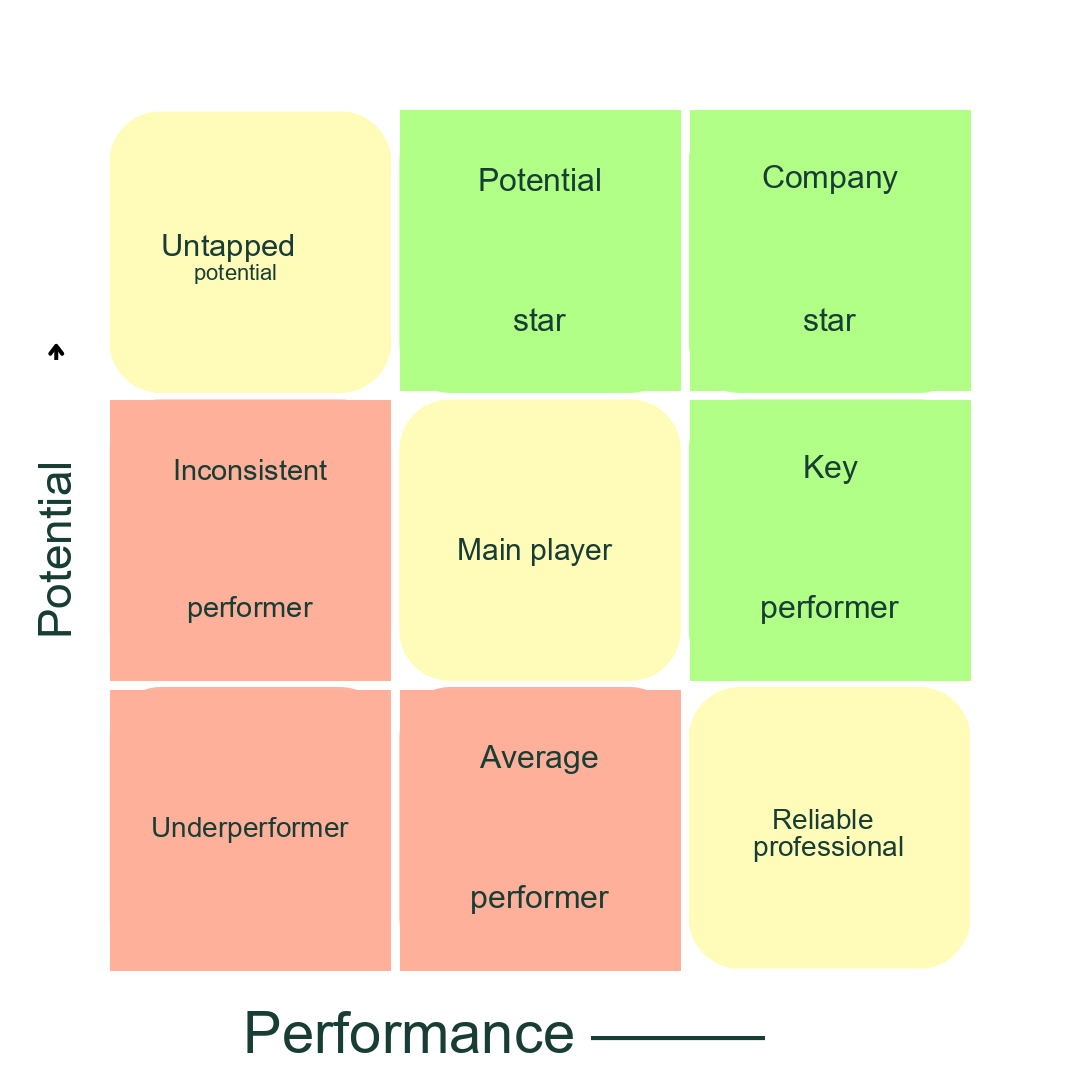
Performance and potential table
Thus, the bottom-left corner of the matrix contains underperforming employees with low growth potential, while the top-right corner contains the company’s stars with high growth potential. Each category in the 9-box matrix requires a different approach to talent management.
Why use the 9-box matrix
Using the 9-box matrix helps you:
- Identify the company’s stars. The matrix helps identify high-performing employees with strong growth potential and determine what they need to improve to develop further. You will also know who is ready to be offered a promotion.
- Identify development areas. The matrix helps you identify employees who need training and additional support.
- Build a talent pool. You can see who is ready for new tasks and roles, without limiting employee development to a single path.
- Make informed decisions. HR professionals and managers can make management decisions based on data rather than subjective assessments.
How it works
Let’s use Appraise as an example to see how to create a 9-box matrix.
- Assess employee performance and potential. Use a 360-degree assessment for this. Add questions rated on a scale from 0 to 10 to the questionnaire, then link them to competencies. If you do not have a competency list, we will be happy to share ours.
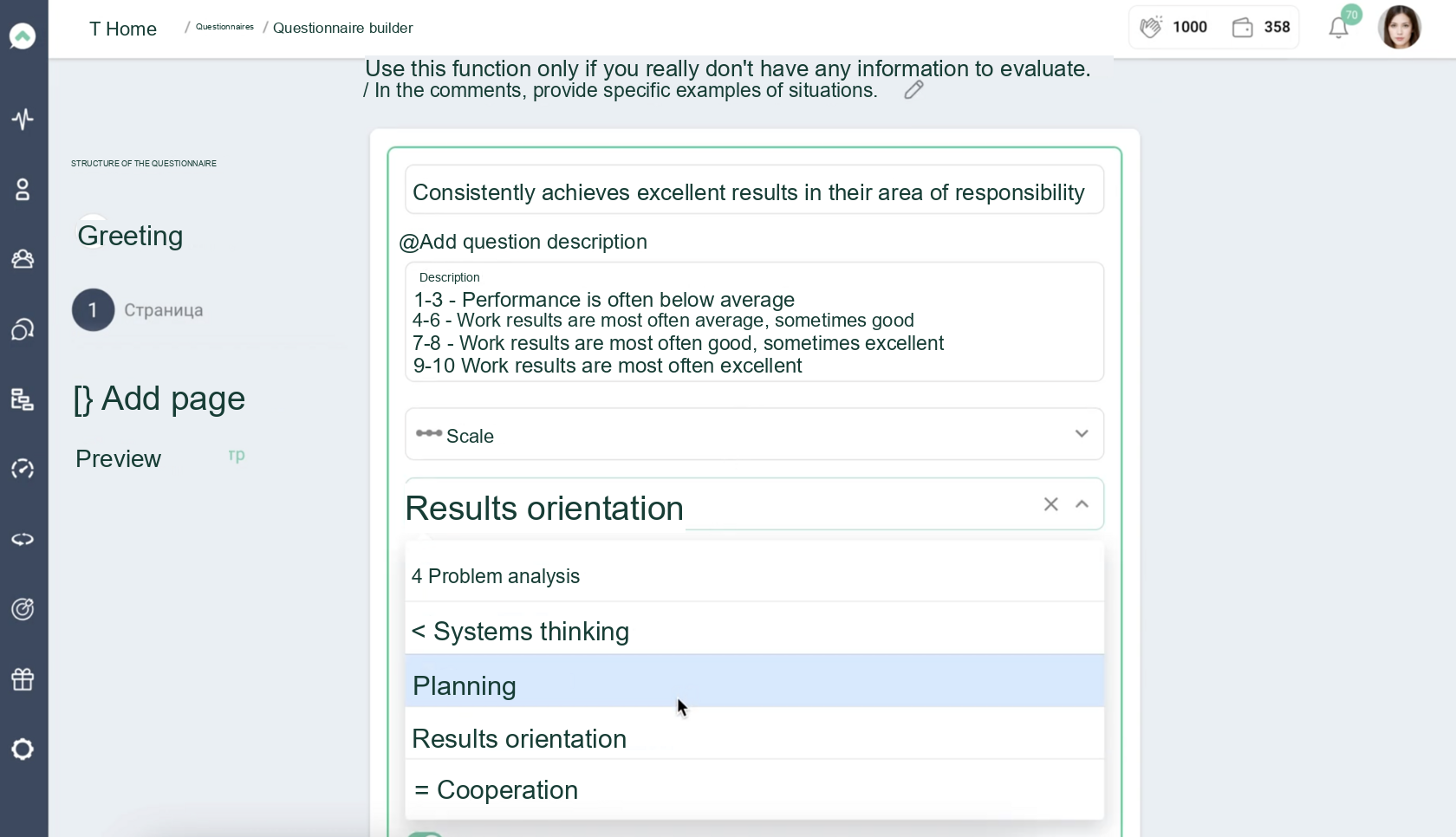
Adding competencies to questions in a 360-degree assessment
- Configure the matrix axes. Go to “Employee Assessments” – “9-box Potential Matrix” and specify which competencies make up potential and which make up performance. You can select one or more competencies.
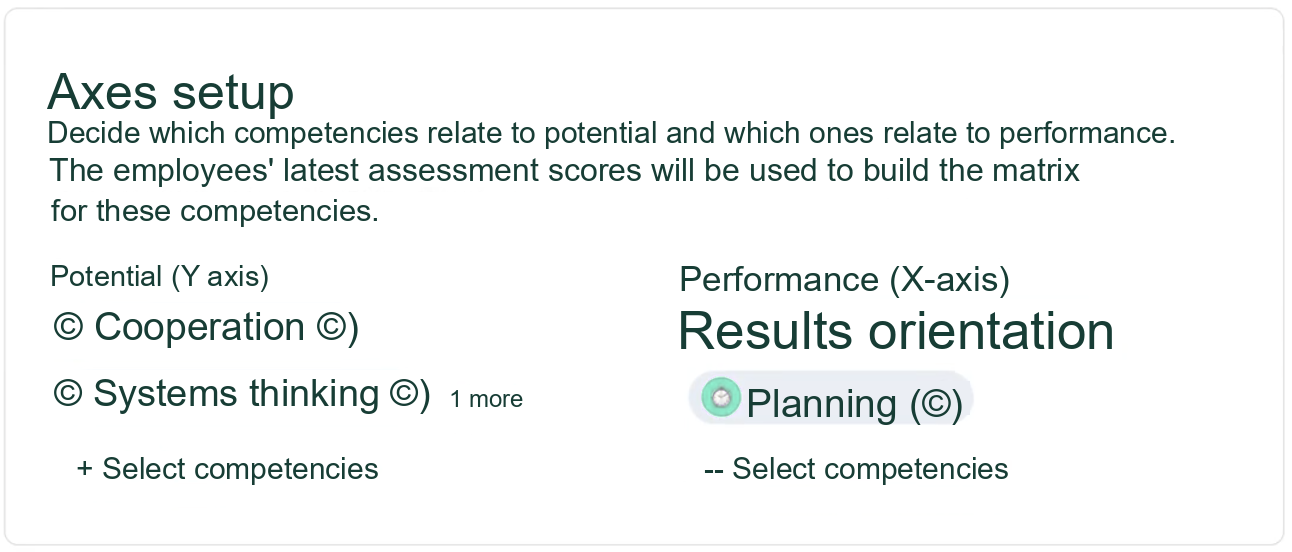
Configuring axes in Appraise
For example, potential may consist of competencies such as collaboration and systems thinking. Performance may consist of results orientation and planning.
- Assign names to the 9-box matrix categories. You can customize the category names to suit you and your managers, or use the ready-made template in Appraise:
- Untapped potential.
- Potential star.
- Company star.
- Inconsistent performer.
- Core player.
- Key performer.
- Underperformer.
- Average employee.
- Trusted professional.
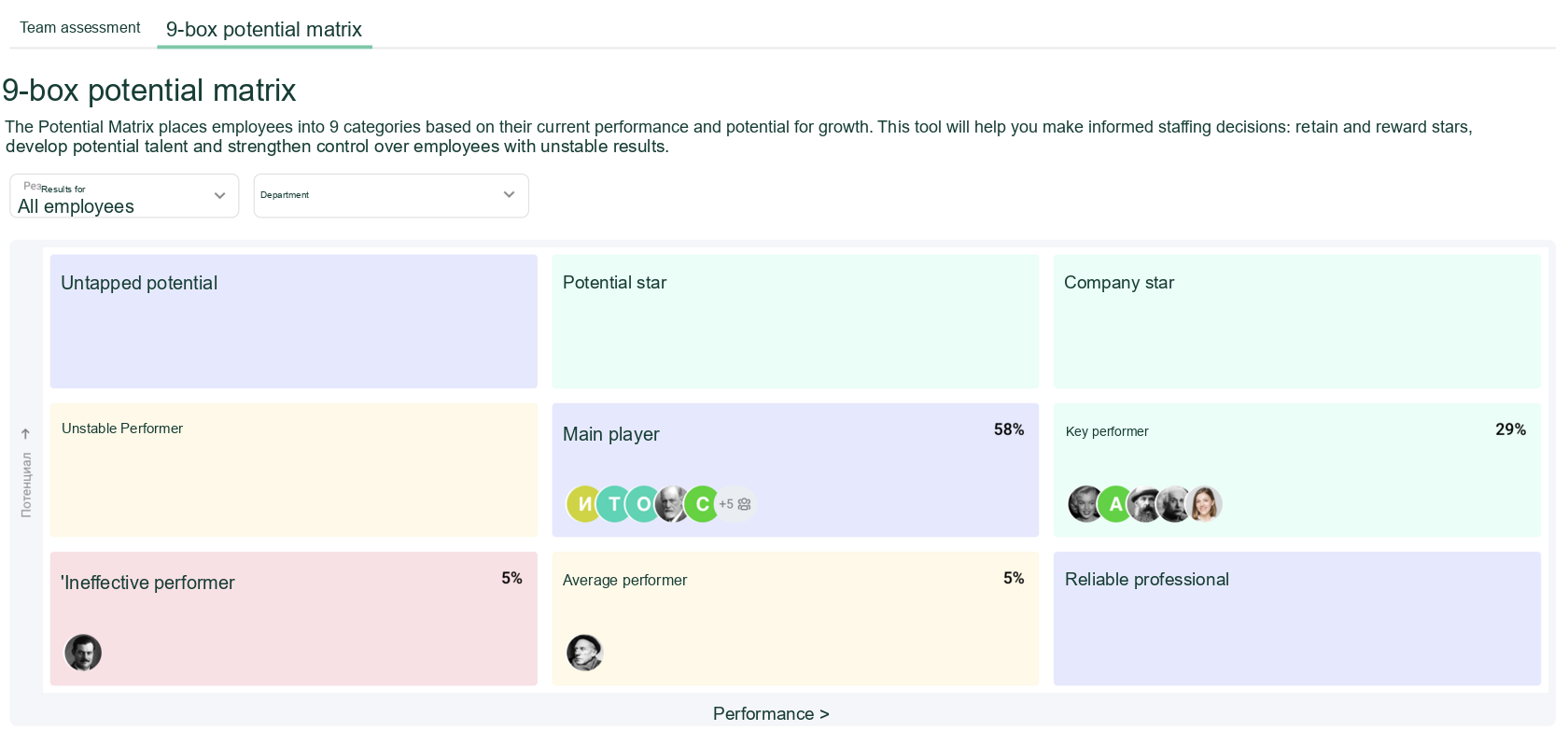
Configuring matrix categories in Appraise
- Click “Enable.” Once you have configured the matrix, managers can access it from the “My Team” dashboard for all employees who report to them in the organizational structure. They can view the matrix for all their employees or individual teams, as well as concise guidance on managing each category.
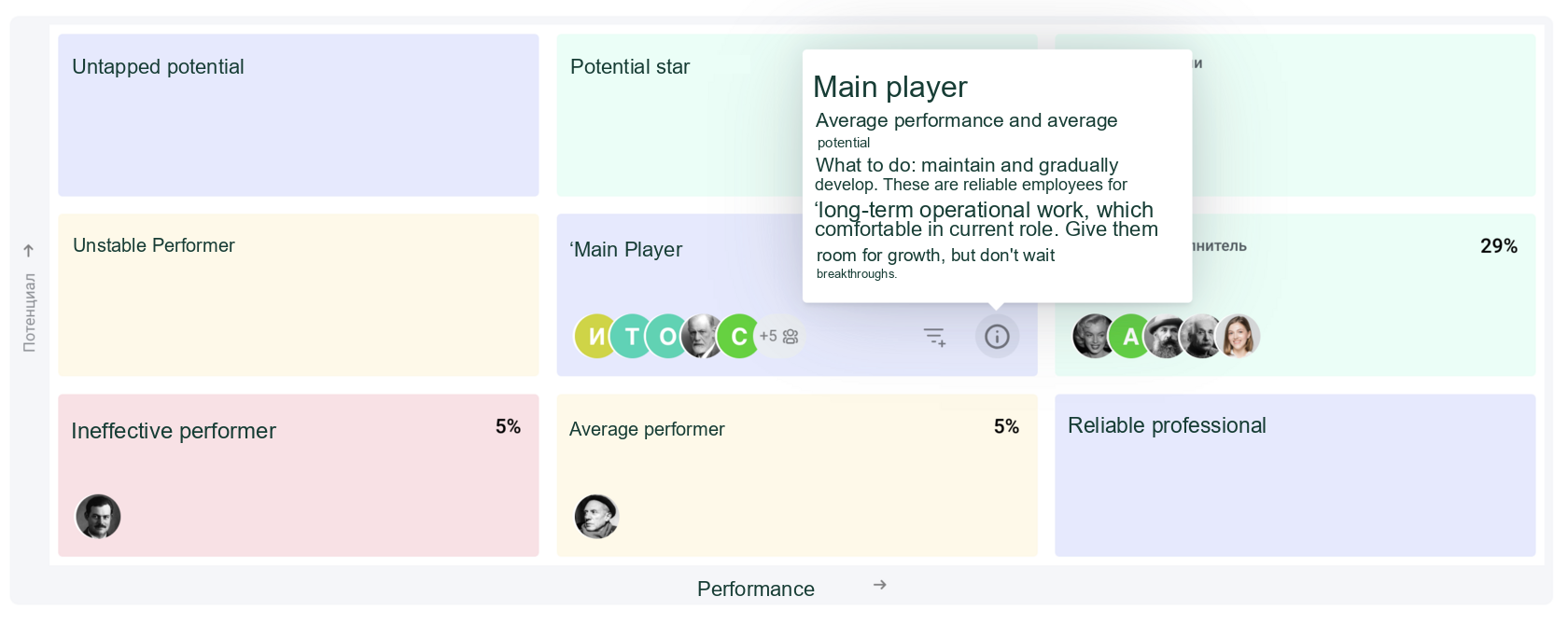
Guidance for managers working with employees in the "Core Player" category
- Employees in all categories can be displayed in a table, with a detailed breakdown of the competencies that contributed to each score.
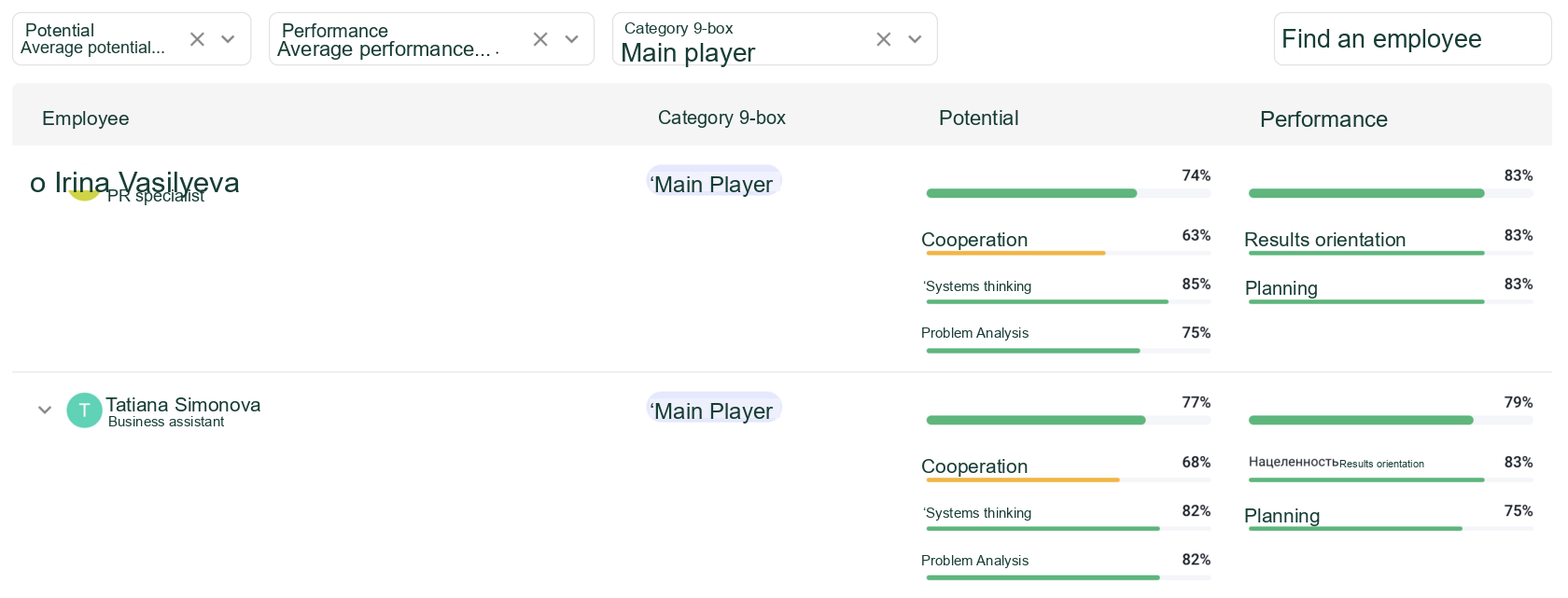
Employee details in the 9-box matrix
Identify stars and potential leaders, build a talent pool, and develop and support employees.
Learn more about the 9-box matrix
And how it relates to 360-degree assessments in an Appraise demo